Official Bank 0/429

Microsoft 365 Identity and Services Exam (MS-100) - Microsoft Exam Questions

Last updated on June 22, 2026

97% Exam Compliance
429 Total Questions
1
Question
Your company has a Microsoft Azure Active Directory (Azure AD) directory tenant named contoso.onmicrosoft.com. All users have client computers that run Windows 10 Pro and are joined to Azure AD. The company purchases a Microsoft 365 E3 subscription. You need to upgrade all the computers to Windows 10 Enterprise. The solution must minimize administrative effort. You assign licenses from the Microsoft 365 admin center.

What should you do next?
Options
A Create provisioning package, and then deploy the package to all the computers.
B Add a custom domain name to the subscription.
C Instruct all the users to log off of their computer, and then to log in again.
D Deploy Windows 10 Enterprise by using Windows Autopilot.
Discussion (0 comments)

to join the discussion

Community Discussion

No discussions yet. Be the first to ask!

2
Question
Your company has an on-premises Microsoft SharePoint Server environment and a Microsoft 365 subscription.

When users search for content from Microsoft 365, you plan to include content from the on-premises SharePoint Server environment in the results. You need to add crawled metadata from the on-premises SharePoint Server content to the Microsoft Office 365 search index.

What should you do first?
Options
A Run the SharePoint Migration Tool.
B Run the SharePoint Hybrid Configuration Wizard.
C Create a site collection that uses the Enterprise Search Center template.
D Create a site collection that uses the Basic Search Center template.
Discussion (0 comments)

to join the discussion

Community Discussion

No discussions yet. Be the first to ask!

3
Question
Your company has 10,000 users who access all applications from an on-premises data center.
You plan to create a Microsoft 365 subscription and to migrate data to the cloud. You plan to implement directory synchronization. User account and group accounts must sync to Microsoft Azure Directory (Azure AD) successfully. You discover that several user accounts fail to sync to Azure AD. You need to identify which user accounts failed to sync. You must resolve the issue as quickly as possible.

What should you do?
Options
A From Windows PowerShell, run the Start-AdSyncSyncCycle –PolicyType Delta command.
B From Active Directory Administrative Center, search for all the users, and then modify the
properties of the user accounts.
C Run idfix.exe, and then click Complete.
D Run idfix.exe, and then click Edit.
Discussion (0 comments)

to join the discussion

Community Discussion

No discussions yet. Be the first to ask!

4
Question
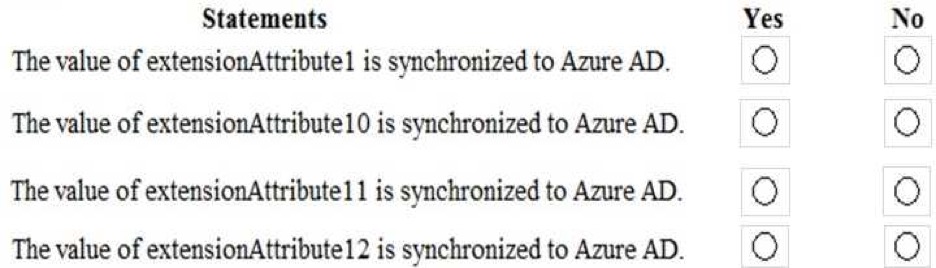
HOTSPOT You have an app that uses the Microsoft Graph API. The app will perform the following actions m sequence:

• Update a user’s city to Redmond.

• Retrieve the current user s profile.
You need to implement batching for the app

Which HTTP methods should you use in the batch request? To answer, select the appropriate options in the answer area

NOTE: Each correct selection is worth one point.
HOTSPOT
Discussion (0 comments)

to join the discussion

Community Discussion

No discussions yet. Be the first to ask!

5
Question
Your company has two offices. The offices are located in Seattle and New York. The company uses a third-party email system. You move all the users in the Seattle office to Exchange Online. You configure Microsoft 365 to You implement Microsoft 365. successfully receive all the email messages sent to the Seattle office users. All the users in the New York office continue to use the third-party email system. The users use the email domains shown in the following table.

Exhibit

You need to ensure that all the email messages sent to the New York office users are delivered successfully. The solution must ensure that all the email messages for the users in both offices are routed through Microsoft 365. You create the required DNS records and Send connectors. What should you do next from Microsoft 365?
Options
A From Microsoft 365 admin center, add the adatum.com domain. From the Exchange admin center,
configure adatum.com as an authoritative domain.
B From Microsoft 365 admin center, set the default domain. From the Exchange admin center,
create a transport rule for all the email messages sent to adatum.com.
C From Microsoft 365 admin center, set the default domain. From the Exchange admin center,
configure adatum.com as a remote domain.
D From Microsoft 365 admin center, add the adatum.com domain. From the Exchange admin center,
configure adatum.com as an internal relay domain.
Discussion (0 comments)

to join the discussion

Community Discussion

No discussions yet. Be the first to ask!

Finish Practice?

Are you sure you want to finish? This will end your practice session.