Official Bank 0/48

Certified Kubernetes Application Developer (CKAD) Exam (CKAD) - Linux Foundation Exam Questions

Last updated on June 20, 2026

97% Exam Compliance
48 Total Questions
1
Question
SIMULATION You must connect to the correct host . Failure to do so may result in a zero score.
[candidate@base] $ ssh ckad00021
Task

Create a Cronjob named grep that executes a Pod running the following single container: name: busybox image: busybox:stable command: ["grep", "

-i", "nameserv
er", "/etc/resolv.conf"]

Configure the CronJob to: execute Once every 30 minutes keep 96 completed Job keep 192 failed Job never restart pods terminate pods after 8 seconds Manually create and execute once job named grep-test from the grep Cronjob
Reveal Only
Discussion (0 comments)

to join the discussion

Community Discussion

No discussions yet. Be the first to ask!

2
Question
is deleted

• Mounts a shared volume /tmp/log on both containers, which does not persist when the pod

• includes a sidecar Ifccncf/fluentd:v0.12 container, named adapter-zen
provided at /opt/KDMC00102/fluentd-configma p.yaml , and mount that ConfigMap to /fluentd/etc Given a container that writes a log file in format A and a container that converts log files from format A to format B, create a deployment that runs both containers such that the log files from the first container are converted by the second container, emitting logs in format B.

• Includes a primary

• Instructs the logger-dev
container to run the command

Exhibit

Exhibit

• The adapter-zen sidecar container should read /tmp/log/input.log and output the data to
/tmp/log/output.* in Fluentd JSON format. Note that no knowledge of Fluentd is required to in the adapter-zen sidecar container

Exhibit

Exhibit

Exhibit

• Create a deployment named deployment-xyz in the default namespace, that:

Exhibit

Exhibit

Task: which should output logs to /tmp/log/input.log in plain text format, with example values: complete this task: all you will need to achieve this is to create the ConfigMap from the spec file lfccncf/busybox:1 container, named logger-dev SIMULATION solution below.
Reveal Only
Discussion (0 comments)

to join the discussion

Community Discussion

No discussions yet. Be the first to ask!

3
Question
O THELINUX FOUNDATION 16,20 6h39= Task

Exhibit

Exhibit

Exhibit

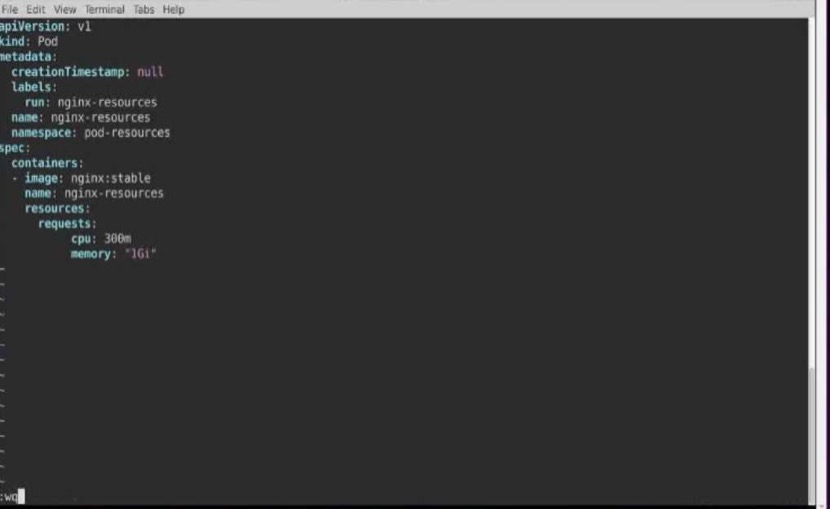
• Create a pod named nginx-resources in the pod-resources namespace that requests a minimum of

• The pod should use the nginx image

Exhibit

Exhibit

Exhibit

Exhibit

• The pod-resources namespace has already been created
scheduled to-a node that has those resources available.

•THELINUX FOUNDATION
200m CPU and 1Gi memory for its container AGE 6h38m You are required to create a pod that requests a certain amount of CPU and memory, so it gets 45 SIMULATION solution below.
Reveal Only
Discussion (0 comments)

to join the discussion

Community Discussion

No discussions yet. Be the first to ask!

4
Question
Task

• The application has an endpoint, /started, that will indicate if it can accept traffic by returning an

• The application has another endpoint /healthz that will indicate if the application is still working as
responsive.

Exhibit

A pod is running on the cluster but it is not responding. The desired behavior is to have Kubemetes restart the pod when an endpoint returns an HTTP 500 on the /healthz endpoint. The service, probe-pod, should never send traffic to the pod while it is failing.

• Configure the probe-pod pod provided to use these endpoints
HTTP 200. If the endpoint returns an HTTP 500, the application has not yet finished initialization. expected by returning an HTTP 200. If the endpoint returns an HTTP 500 the application is no longer

• The probes should use port 8080
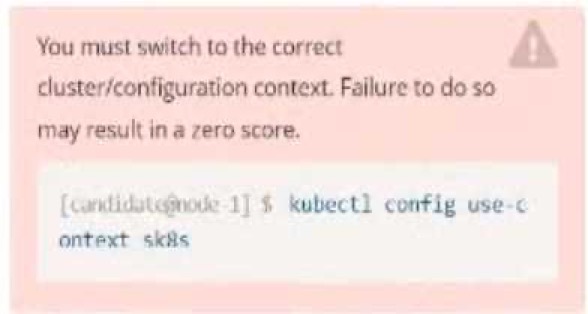
[student@node-1] $ | kubectl
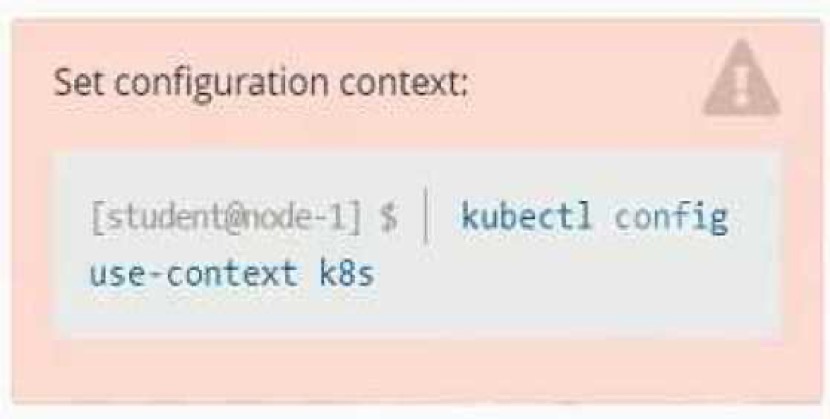
Config use-context k8s

Set Configuration Context:

Please complete the following: Context SIMULATION solution below.
Reveal Only
Discussion (0 comments)

to join the discussion

Community Discussion

No discussions yet. Be the first to ask!

5
Question
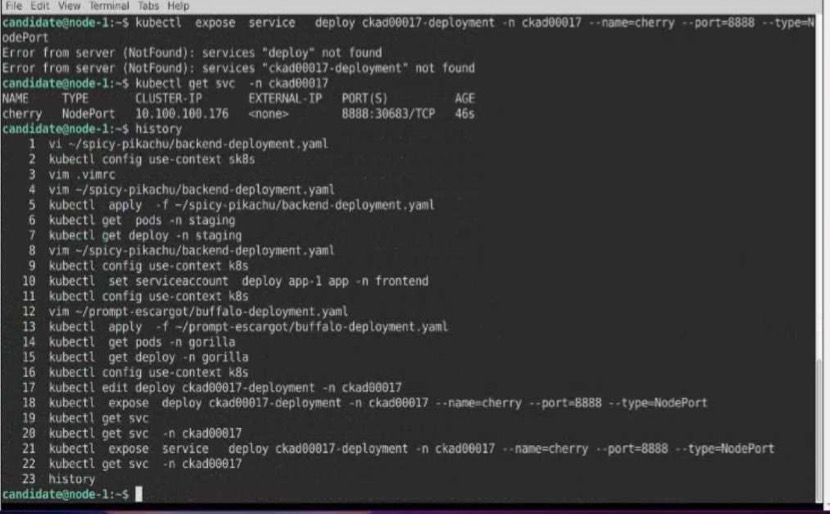
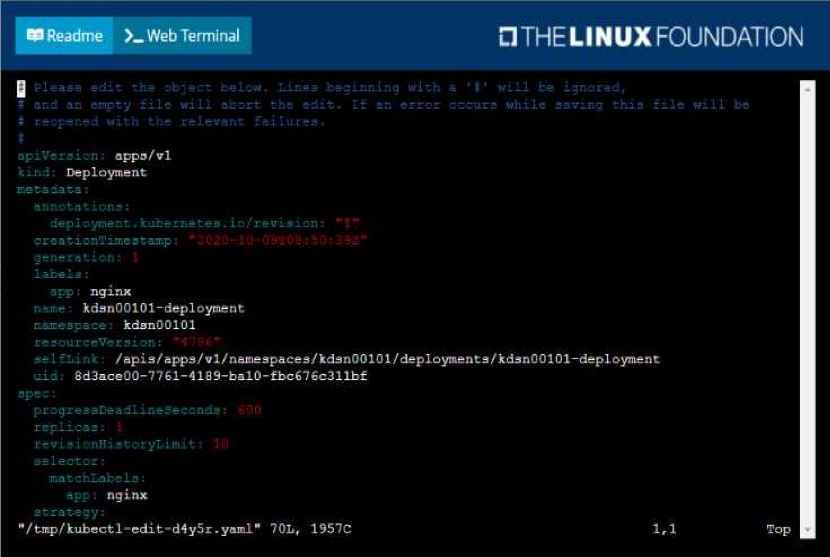
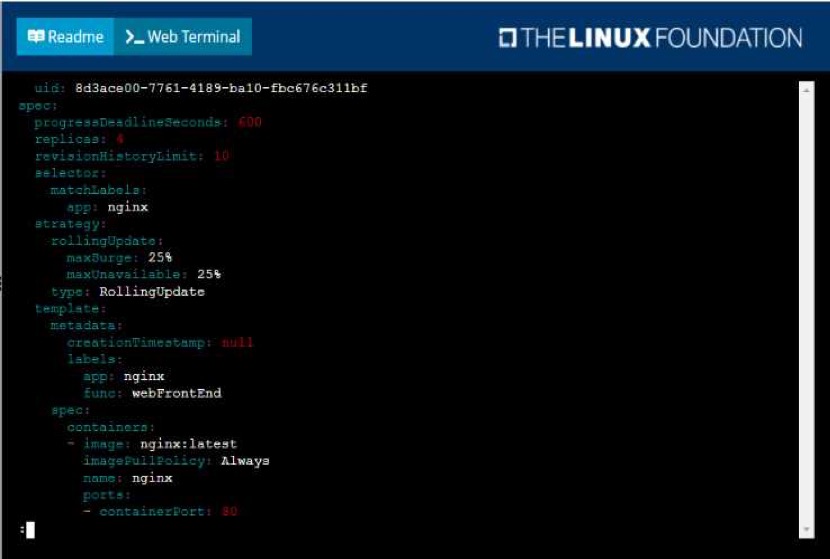
• Add the func=webFrontEnd key/value label to the pod template metadata to identify the pod for

• is mapped to me pods defined by the specification of kdsn00l01-deployment
Start with the deployment named kdsn00101-deployment which has already been deployed to the namespace kdsn00101 . Edit it to:

Next, create ana deploy in namespace kdsn00l01 a service that accomplishes the following:

• Exposes the service on TCP port 8080
Task You have been tasked with scaling an existing deployment for availability, and creating a service to the service definition

• Have 4 replicas

Exhibit

Exhibit

Exhibit

Exhibit

Exhibit

expose the deployment within your infrastructure.

• Has a name of cherry

• Is of type NodePort
Context SIMULATION solution below.
Reveal Only
Discussion (0 comments)

to join the discussion

Community Discussion

No discussions yet. Be the first to ask!

Finish Practice?

Are you sure you want to finish? This will end your practice session.